
TickTock-TikTok Live Wallpaper
TikTok Pte. Ltd.Tools
4.726.19K Reviews
- Version
- 35.4
- Installs
- 100.00M
- Age Rating
- Everyone
Screenshots
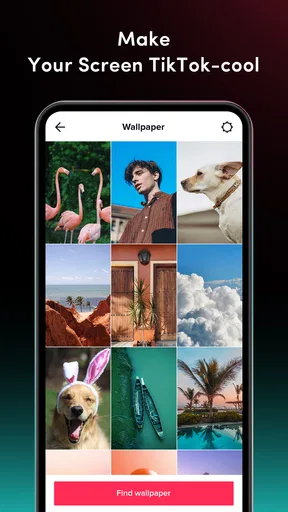
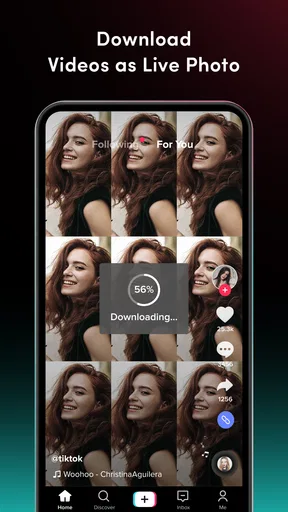
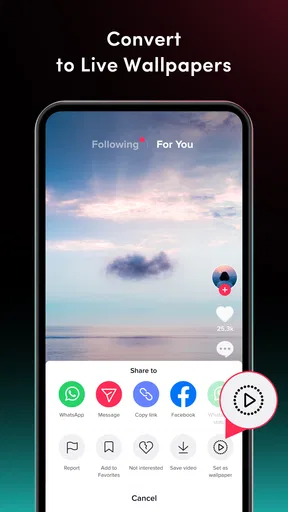
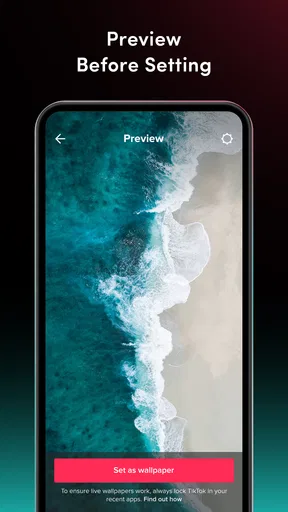
Our Review of TickTock-TikTok Live Wallpaper
 Analysis by Appyee
I would treat TickTock-TikTok Live Wallpaper as a small personalization tool, not an app I need to open every day. Its appeal is immediate: a moving clip makes a phone feel more personal than a still image, and choosing something familiar from TikTok gives the screen a connection to the videos I already enjoy. The bigger question is whether that novelty still feels worthwhile once the first few days pass. For me, the answer depends less on how striking the first wallpaper looks and more on whether I enjoy seeing that particular clip repeatedly.
A quick test is better than a big commitment
If I were trying it for the first time, I would pick one short, visually clear video and live with it for a few days before changing anything else. A clip that looks great while scrolling may be distracting as a background: fast cuts, bright text, or a busy scene can compete with app icons and make the home screen harder to scan. A calmer landscape, a pet doing one recognizable thing, or a clip with a simple composition is often a better everyday choice than the most energetic video in a feed.
That small selection step matters because a wallpaper is seen in passing, not watched like a normal TikTok. I would favor a video that still works when only a moment catches my eye. If I find myself wanting to stop and watch it every time I unlock the phone, I would save that clip for the app itself and choose something less demanding for the background.
Fit the wallpaper to the way you use your phone
The strongest use case is for someone who already has a TikTok clip they like and wants a personal background without searching through a separate collection of generic animated designs. It can also suit a person who changes their phone’s look with the season, a new interest, or a favorite creator’s style. On the other hand, anyone who prefers a quiet, predictable screen—or relies on a still image for readability—may get more value from an ordinary photo wallpaper.
I would also think about where the phone is used. A lively moving background can be fun when showing a friend the device, but it may be a poor fit for a meeting, a classroom, or a shared space where motion draws attention. Keeping a subtle clip for daily use and switching to a still background when I want a more restrained look is a sensible compromise, rather than expecting one wallpaper to suit every situation.
What changes after the first week
In the first week, setting a clip can feel like a tiny makeover. Over the following weeks, the practical question is whether I still notice the wallpaper in a good way or simply stop seeing it. That is normal: a moving background can make the first unlock feel fresh, but it cannot make a phone feel new indefinitely. I would judge the app by whether it makes changing the screen easy enough to remain an occasional habit, not by whether every clip stays exciting forever.
A useful routine is to choose a background when I already have a reason to change one, rather than browsing endlessly for a perfect video. For example, after a weekend trip, I might select a clip with a scenery or mood that reminds me of the day. If the result feels too busy after a few ordinary workdays, I can switch back to a still image. That keeps personalization enjoyable without turning wallpaper upkeep into another chore.
Alternatives and a sensible trade-off
Compared with the usual options, this app’s distinctive idea is using TikTok videos instead of relying only on a still photo or a library of animated backgrounds. A photo is simpler and easier to keep visually calm; a conventional live wallpaper may offer a more uniform look; this approach is more appealing when a specific TikTok clip is the point. Which option is better depends on whether I value a personal video more than a tidy, low-distraction screen.
I would not recommend choosing a clip just because it is popular or visually impressive in the feed. Home-screen icons cover part of the image, and text or important action near the edges may not remain easy to see. Before settling on a video, I would check how its main subject sits behind the icons and whether the first visible moment looks good on repeat. That simple check can prevent a wallpaper that feels cluttered or awkward in daily use.
Who should skip the moving background
If I were especially concerned about keeping the home screen still, minimizing visual activity, or making every icon immediately legible, I would stick with a photo. The same goes for someone who rarely changes wallpapers and does not care about bringing video clips onto the screen: the app’s central idea may not add enough to their routine. A live background is a personal preference, not an upgrade everyone needs.
I would also avoid assuming that every video will make a good wallpaper. A clip can be entertaining in a feed but tiring when it appears repeatedly, and busy motion can become a source of fatigue rather than personality. Choosing something with a clear subject and a mood I can tolerate day after day is more important than finding the most eye-catching option.
Have you ever wanted to bring a little more life to your phone's home screen? Well, I've recently stumbled upon an app that might just be the answer. Meet TickTock-TikTok Live Wallpaper – it's a nifty little app that transforms your static wallpaper into something dynamic and exciting.
First Impressions and Features
Right off the bat, the interface of TickTock-TikTok Live Wallpaper is super intuitive. You don’t need a PhD in tech to navigate through it, which is always a plus in my book. The app allows you to use TikTok videos as your live wallpaper, which is a pretty cool way to personalize your phone.
One of the standout features is its seamless integration with TikTok. You can easily browse through your favorite clips and set them as your wallpaper with just a few taps. Plus, the app supports a wide range of formats, so you don’t have to worry about any compatibility issues.
Setting Up and Customization
Getting started is a breeze. After downloading the app, you just have to log in with your TikTok account. From there, you can dive into a treasure trove of content. Whether you're into dance challenges, cute pets, or breathtaking landscapes, there's something for everyone.
The customization options are where this app really shines. You can adjust the playback speed, choose whether you want the sound on or off, and even set specific clips to play at certain times of the day. It’s all about making your device feel uniquely yours.
Performance and Usability
Performance-wise, I was pleasantly surprised. Live wallpapers can sometimes be a drain on battery life, but TickTock-TikTok Live Wallpaper seems to have optimized this pretty well. During my week of testing, I didn’t notice any significant battery drain or lag, which is a huge win.
Usability is another area where the app scores high marks. The developers have clearly put a lot of thought into making sure the app is user-friendly. Whether you’re a tech newbie or a seasoned pro, you’ll find the experience smooth and hassle-free.
Why You Might Want It
If you’re someone who loves TikTok and spends hours scrolling through videos, this app is a fantastic way to bring a bit of that fun to your home screen. It’s not just a wallpaper app; it’s a way to express yourself and keep your phone looking fresh and exciting.
Moreover, the ability to switch up your wallpaper with different clips means your phone never looks dull. With the sheer variety of TikTok content, you can have a new look every day if you want.
The app is a great conversation starter too. Friends and family will definitely ask how you got such a lively and animated home screen, giving you a chance to show off this little gem of an app.
Final Thoughts
In conclusion, TickTock-TikTok Live Wallpaper is more than just a novel idea; it’s a well-executed app that delivers on its promises. It’s perfect for anyone who wants to add a personal touch to their device. The app is free to download, so there's really no reason not to give it a try.
Whether you’re a TikTok fanatic or just someone looking to spice up your phone's appearance, this app is definitely worth checking out. So why not go ahead and download it? Your home screen will thank you!
A practical everyday routine
Imagine choosing a clip on Sunday evening because it reminds you of a day out, then seeing it briefly between checking messages and opening your calendar on Monday. That is where this kind of tool makes most sense: it adds a small personal cue to an ordinary routine without requiring you to watch more videos. If the clip becomes distracting during work, or its movement makes icons harder to pick out, I would change it rather than trying to force the novelty to last.
For a more useful setup, I would preview a candidate against the actual home-screen layout, not just judge it in the TikTok feed. Look at whether the subject sits behind a cluster of icons, whether bright areas make labels harder to read, and whether the opening image is appealing on its own. Those checks are more valuable than endlessly scrolling for another clip, and they help separate a video that works as a wallpaper from one that is simply entertaining.
What to expect from the app itself
This is a Tools app from TikTok Pte. Ltd., offered free and rated for Everyone. It has a 4.7 average from around 1.8 million ratings, with over 100 million installs, so it has reached a broad audience. Version 35.4 is listed for Android 4.1 and later. Those details make it an accessible option for many Android users, though they do not change the basic decision: the app is worthwhile only if you actually want a video on your background.
One point I would settle before building a routine around it is whether the clip I want is convenient to select and keep available in the way I expect. The setup described for the app involves a TikTok account, so someone who does not use TikTok may find the process less appealing than choosing a saved photo in the phone’s wallpaper settings. If I already use TikTok, that connection is the appeal; if I do not, a standard live-wallpaper tool may be the less fussy route.
I would also keep expectations modest about customization. Playback speed and sound controls can help a clip feel more appropriate for a home screen, but they do not turn every video into a carefully composed background. If a clip’s framing is awkward or its visual rhythm gets irritating, a setting cannot fix the underlying choice. Picking the right source video matters more than tweaking it afterward.
How I would decide whether to keep it
After trying a few choices, I would ask myself two questions: does the moving image still make me smile, and can I use the home screen comfortably without paying attention to it? If the answer to both is yes, the app has earned a place as an occasional personalization option. If I forget the wallpaper immediately, that is harmless; if I notice it because it interrupts what I am doing, I would return to a still background.
Verdict
Strengths of TickTock-TikTok Live Wallpaper
- Customizes home screen with dynamic wallpapers.
- Supports various video formats for wallpapers.
- Easy to set up and user-friendly interface.
- Low impact on battery consumption.
- Regular updates with new features and fixes.
Limitations of TickTock-TikTok Live Wallpaper
- Requires internet access for full functionality.
- Limited offline wallpaper options.
- Some features locked behind paywall.
- Occasional lag with high-resolution videos.
- Ads can disrupt user experience.
Other Releases by TikTok Pte. Ltd.
View All
TikTok - Videos, Shop & LIVE
Social4.0

TikTok Studio
Video Players & Editors4.5

TikTok Shop Seller Center
Shopping4.3

PineDrama - Short Dramas
Entertainment4.6
Similar Picks in This Category
View All
Google LLC4.0

Gboard - the Google Keyboard
Google LLC4.5

Google Play services
Google LLC4.3

Google Play Store
Google LLC4.9

Files by Google
Google LLC4.5

SHAREit: Transfer, Share Files
Smart Media4U Technology Pte.Ltd.4.3
Frequently Asked Questions
What is TickTock-TikTok Live Wallpaper?
TickTock-TikTok Live Wallpaper is an app that allows users to set dynamic, live wallpapers featuring TikTok videos on their Android or iOS devices. It provides a unique way to personalize your home screen with trending videos or your favorite TikTok clips, offering an interactive and engaging visual experience.
How do I install and set up TickTock-TikTok Live Wallpaper?
To install TickTock-TikTok Live Wallpaper, download it from the Google Play Store or Apple App Store. Once installed, open the app, select your desired TikTok video, and follow the on-screen instructions to set it as your live wallpaper. Ensure you grant the necessary permissions for optimal functionality.
Does TickTock-TikTok Live Wallpaper affect battery life?
Live wallpapers, including those from TickTock-TikTok Live Wallpaper, can consume more battery than static images. The app is designed to minimize battery usage, but users may notice a slight increase in battery consumption, especially if the live wallpaper is constantly active. Adjust settings to balance performance and battery life.
Is TickTock-TikTok Live Wallpaper safe and secure to use?
TickTock-TikTok Live Wallpaper is generally safe to use, as it is available on official app stores. However, users should always check app permissions before installation. The app requires access to storage and possibly device settings to function correctly. Ensure your device’s software is up-to-date for additional security.
Can I use any TikTok video as my live wallpaper?
Yes, TickTock-TikTok Live Wallpaper allows you to use a wide range of TikTok videos as your live wallpaper. You can choose from trending clips or your personal favorites. However, some videos may have restrictions or copyright protections, so ensure you respect creators' rights when selecting content.
